Kling AI Price in Pakistan: Rs 4,500 a Month, Full Buyer Guide 🎬
7 Nov 2026

Quick takeaway ⚡
Kling AI is an AI video generator from Kuaishou, the Chinese short-video company: you type a sentence or upload a photo, and it turns it into a moving video clip with camera movement, motion and sound. The Kling AI price in Pakistan is Rs 4,500 for one month of the Standard plan on Kling AI at Ocean Computer, a private monthly subscription delivered on WhatsApp. Bought direct from Kling, the same Standard plan renews at $8.80 a month, roughly Rs 2,500 at current exchange rates, with 660 credits a month — but paying Kling direct needs an international card, which is the part that stops most buyers in Pakistan, and that gap is exactly what the store price covers, along with WhatsApp support and a warranty. Kling 4.0, the current version, launched on 15 October 2026 and makes clips of up to 30 seconds in one go, double the old 15-second limit. This guide suits you if you make reels, ads, YouTube videos or client work and want moving video without a camera, a shoot or an editor. If you mostly edit footage you already shot, Runway fits better, and if you want talking clips with realistic dialogue, Google Veo 3.1 is the stronger pick, as the comparison below shows. The honest short version: Kling AI is worth it for affordable AI video with long clips and strong control, not if you need a lot of video every month, because the credits run out fast.
What is Kling AI? 🎬
Kling AI, also written Kling, is a tool that creates video from words and pictures. You give it a text prompt, such as a street food stall in Lahore at night with steam rising from a karahi, or you upload a still photo, and it generates a short video clip of that scene moving: the steam rises, the camera pushes in, people walk past. It can also animate a photo you already have, so a product shot becomes a short ad clip, and it can create lifelike AI avatars, digital presenters who speak your script on camera without you filming anything. You control the motion and the camera: a slow zoom, a pan across a scene, an orbit around a product, or a still shot that simply comes alive. The clips come with sound, including a stereo audio track in version 4.0, so a scene can have background sound that matches the picture. Kling first appeared in 2024 and has been updated through several versions, with Kling 4.0 the current flagship since October 2026. It is a generation tool, not an editor: it makes the raw clips, and you cut them together in an editor afterwards. For a creator in Pakistan that matters, because a single person with a phone and a laptop can now make the kind of moving product video that used to need a shoot, lights and a crew.

Kling 4.0: what changed in October 2026 🆕
Kling 4.0 went fully live on 15 October 2026, and it is a real step up from Kling 3.0, not a small polish. The headline change is length: a single generation now runs up to 30 seconds in one continuous pass, double the old 15-second ceiling, so an action, a scene change or a mood can build inside one clip instead of being stitched from short pieces. The second change is control: Multi-Keyframe Control supports up to 10 keyframes, so you can set the moments a clip must pass through, and Omni Reference combines up to 15 reference assets, images, videos, character subjects and voices, in one task, so a character or a product stays consistent across shots. Prompts can now run to 8,000 characters, and the model generates a stereo audio track with the picture. Output is 720p and 1080p, with 4K listed in the specifications and aspect ratios of 16:9, 9:16, 1:1 and the wider 21:9. Two things Kuaishou announced are still marked coming soon, in the company's own words: 10-bit HDR output at 1080p and 4K, and a 2-minute video extension, so do not buy a plan today for either of those. The plan names changed with this release too: the paid tiers are now Standard, Pro, Premier and Ultra+, and the store listing still calls the higher tiers Pro, Premium and Ultra, so confirm on WhatsApp exactly which tier you are getting before you pay.
Kling AI price in Pakistan 💰
On Ocean Computer, Kling AI costs Rs 4,500 for one month of the Standard plan, private access delivered on WhatsApp after payment is confirmed. The plan is refundable, though a change of mind is not applicable, and a warranty is available if anything goes wrong. Higher tiers exist, Pro, Premium and Ultra on the store listing, and you ask on WhatsApp for their prices. The same Standard plan is also listed as Kling AI on Shan's other store at the same Rs 4,500 a month. Bought direct from Kling, the official prices on the membership page, checked in late October and early November 2026, are in US dollars: the Basic plan is free with a small allowance of free credits, Standard renews at $8.80 a month after a $6.99 first month and gives 660 credits, Pro renews at $32.56 after $25.99 and gives 3,000 credits, Premier runs from $80.96 to $376.99 a month for 8,000 to 38,000 credits depending on the size you pick, and Ultra+ renews at $544.99 a month for 57,000 credits. Yearly billing is about 25% cheaper, with Standard at $79.20 a year. Those are global dollar prices, labelled as such, and they change with promotions, so check the membership page before you pay anywhere. Now the part that decides whether Standard is enough: the reported credit rates are 15 credits per second at 1080p and 10 per second at 720p, so 660 credits buy about 44 seconds of 1080p video or about 66 seconds at 720p in a month. A 5-second clip at 1080p costs about 75 credits, so Standard covers roughly eight of those a month, and a 10-second clip at 1080p costs about 150 credits, so roughly four. Monthly credits expire after 31 days according to pricing trackers, so unused credits do not roll over, and the first-month discount applies once per account.
How Kling AI works, step by step 🪜
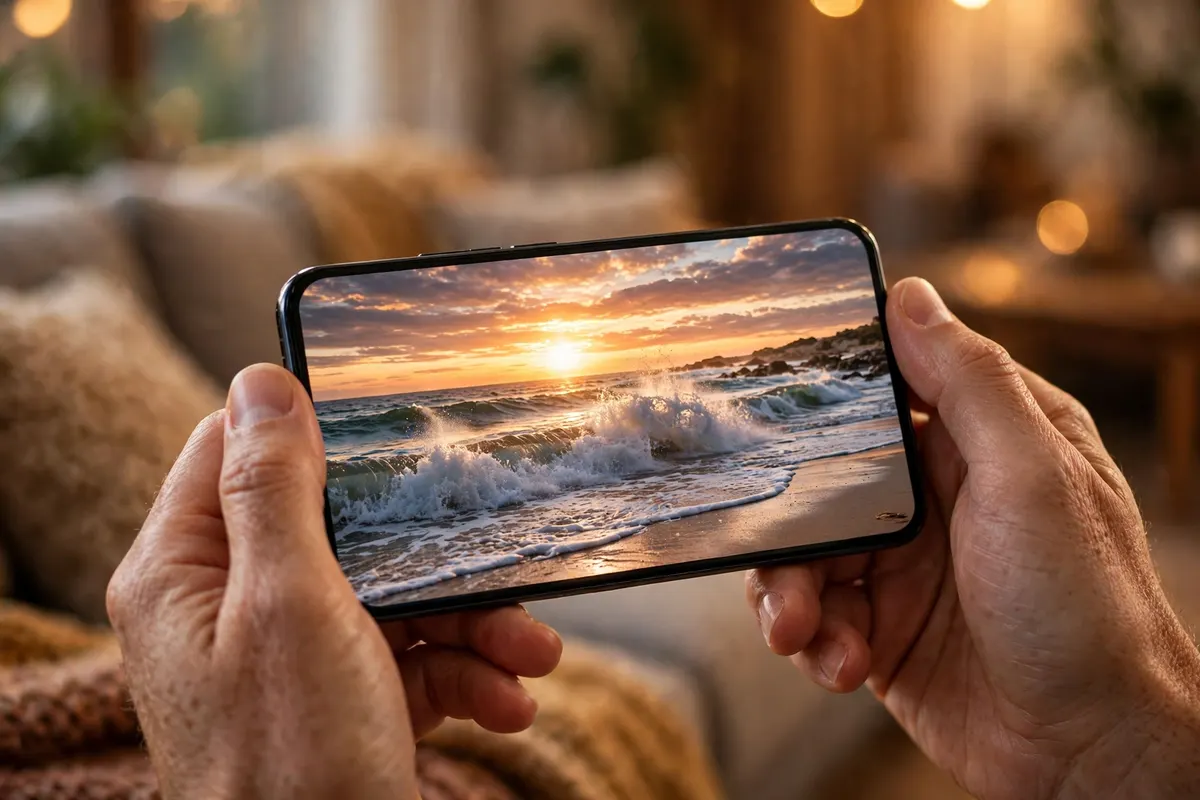
First, get access. On the Ocean Computer route you order on WhatsApp and receive the login details for a private account; on the direct route you sign up at kling.ai with your email and pay by international card. Second, pick your starting point: text-to-video if you are starting from an idea, or image-to-video if you have a photo to animate. Third, write your prompt in plain words: what is in the scene, what moves, how the camera moves, and the light and mood. In Kling 4.0 prompts can run to 8,000 characters, but short, clear prompts usually work better than long, crowded ones. Fourth, set the clip: length from 3 to 30 seconds, resolution at 720p if you want to save credits or 1080p if you want it sharper, aspect ratio to match where it will play, 9:16 for reels and TikTok, 16:9 for YouTube, and keyframes if you want the clip to pass through set moments. Fifth, generate and wait: a clip takes a few minutes, and longer clips take longer, so queue it and do something else. Sixth, preview the result, download it if it is right, or change the prompt and generate again if it is not: small changes, one at a time, teach you what the model listens to. Seventh, finish the video in an editor: cut your Kling clips together, add titles and music, and export. CapCut Pro from Rs 1,500 a month covers quick edits on phone or PC, and Adobe Creative Cloud from Rs 2,500 a month gives you Premiere Pro for serious finishing. For an avatar video, the extra step is uploading a photo and typing the script the presenter should speak, and the model generates a talking clip from it.
What you can make with Kling AI 🎥
The most useful jobs for Kling AI in Pakistan are the ones where a short moving clip beats a still image. Product ads are the first: upload a photo of a watch, a dress, a food item or a phone, and animate it into a 5 to 10 second clip with a slow camera move for Instagram, TikTok or a Facebook ad. Social reels are the second: a text prompt becomes the opening shot of a reel, and three or four clips cut together make a full 30-second post. Animating old photos is the third: a still portrait or a landscape photo becomes a living clip, which suits wedding pages, travel pages and memory videos. AI presenters are the fourth: an avatar speaks your script for a faceless YouTube channel, a course lesson or a shop announcement, without you standing in front of a camera. Storyboards and b-roll are the fifth: a YouTuber generates the establishing shot or the cutaway a story needs instead of searching stock footage. Real-estate and food pages use it too, turning a photo of a room or a dish into a short moving showcase. The limit is length and volume: Kling makes short clips, not full films, and the Standard plan's roughly 44 seconds of 1080p a month means you plan your shots before you spend credits, instead of generating freely and keeping what works. If you only need one or two clips a month, the Kling AI price in Pakistan is easy to justify; if you need new video every day, the credits are the bottleneck, not the quality.
Kling AI vs Runway and Google Veo ⚔️
This is the comparison that decides whether the Kling AI price in Pakistan is worth it for you, so here it is honestly. Runway is not sold on Ocean Computer, so this is a straight comparison, not a sales pitch. Runway's Standard plan is $15 a month, or $12 billed annually, for 625 credits, and its Gen-4.5 model costs 12 credits a second, so that buys about 52 seconds of video a month. Pro is $35 a month for 2,250 credits, and Max is $95 a month for 9,500 credits, with a free plan that gives 125 credits once. Runway wins if you edit as well as generate: it is a full suite with an editor, Aleph for restyling footage you already shot, and panels inside Premiere Pro, After Effects and DaVinci Resolve. Google Veo 3.1 is the third name: on the consumer side it comes with Google AI plans, where Google AI Pro at $19.99 a month gives 1,000 Flow credits for Veo 3.1 Fast and Lite, and full Veo 3.1 Quality needs Google AI Ultra from $99.99 a month. Veo wins for talking clips: its native dialogue and sound are the most realistic of the three, and a Quality clip runs 8 seconds for 100 Flow credits. Kling wins on price and on control: the cheapest paid plan of the three at $8.80 a month on renewal, the longest single clips at 30 seconds, and keyframes plus Omni Reference for keeping a character or product consistent. One more fact for the decision: OpenAI shut down the Sora consumer app and website in April 2026, so Sora is not a live option for buyers now. The rule is simple: pick Kling for affordable AI video with long clips and strong control, Runway if your work starts after the clip exists and you want editing in the same place, and Veo if realistic talking heads with sound are the whole job.
Honest limits and trust questions ⚠️
A few things to know before you order, stated plainly. First, the credits burn fast: on Standard, 660 credits are about 44 seconds of 1080p video a month, so a creator who posts daily will outgrow it quickly, and the next tier, Pro at $32.56 officially, is a big jump. Second, monthly credits expire after 31 days, so a quiet month wastes what you paid for. Third, failed or bad generations still cost credits: reviewers report that billing, renewals and credits lost to failed jobs are the most common complaints, and one review tracker puts Kling's Trustpilot score at 1.6 out of 5, almost all of it about billing rather than video quality, so generate carefully and keep your prompts short and clear. Fourth, 4K and 10-bit HDR are still marked coming soon by Kuaishou, so do not pay for a plan expecting them today. Fifth, faces and hands can still warp on fast motion, and text inside a generated video can come out misspelled, so check every clip before it goes to a client. Sixth, avatars carry a real responsibility: only animate a person who has agreed to it, because cloning a real person without consent can break platform rules and damage trust. Seventh, there is no official rupee price for Kling, so every dollar figure here moves with the exchange rate and with promotions, and the Ocean Computer rupee price is the final word for the store route. Finally, the Kling AI price in Pakistan has one more wrinkle: plan names changed in October 2026, and the store listing still uses the older names for the higher tiers, so confirm on WhatsApp exactly which tier and how many credits you are getting before you pay.
How to order on Ocean Computer 🛒
Ordering takes a few minutes. Open the Kling AI product page, pick the Standard plan at Rs 4,500 for one month, or ask on WhatsApp about a higher tier if Standard's credits will not cover your month, and tap the WhatsApp order button. Mention the product and plan name, and ask which tier you are getting and how many credits it includes, so there is no surprise later. The payment details come back on WhatsApp, and once payment is confirmed, your login details are sent on WhatsApp, usually within minutes during working hours. Sign in, write your first prompt, and generate a short 5-second test clip at 720p before spending credits on a long 1080p generation, so you learn the cost and the quality on a cheap test. If anything stops working, message on WhatsApp with your product and plan name, and the warranty covers a fix or replacement. That is the full picture behind the Kling AI price in Pakistan. For most readers the bottom line is this: Rs 4,500 a month buys the cheapest real AI video plan available in rupees, Kling 4.0's 30-second clips and keyframe control are genuinely useful, and the plan is right for you if roughly 44 seconds of 1080p video a month covers your reels and ads, and wrong for you if you need new video every day.
Kling AI plans: store price vs official price
| Plan | Ocean Computer | Official price (monthly renewal) | Credits a month |
|---|---|---|---|
| Basic | — | Free | Small free allowance |
| Standard | Rs 4,500 a month | $8.80 | 660 |
| Pro | Ask on WhatsApp | $32.56 | 3,000 |
| Premier | Ask on WhatsApp | $80.96 – $376.99 | 8,000 – 38,000 |
| Ultra+ | Ask on WhatsApp | $544.99 | 57,000 |
Kling AI vs Runway vs Google Veo 3.1
| Kling AI | Runway | Google Veo 3.1 | |
|---|---|---|---|
| Cheapest paid plan | $8.80 a month (Standard) | $15 a month (Standard) | $19.99 a month (Google AI Pro) |
| Credits a month | 660 | 625 | 1,000 Flow credits |
| Longest single clip | 30 seconds | Billed in 5-second steps | 8 seconds per Quality clip |
| Strongest point | Long clips, keyframes, Omni Reference | Editing suite, Aleph, Premiere panels | Native dialogue and sound |
| Buy in PKR on WhatsApp | Yes — Rs 4,500 a month | No — international card | No — international card |
| Best for | Affordable AI video, ads and reels | Creators who edit in one place | Realistic talking clips |
Frequently asked questions
What is the Kling AI price in Pakistan?
On Ocean Computer, Kling AI costs Rs 4,500 for one month of the Standard plan, a private monthly subscription delivered on WhatsApp. Bought direct from Kling, Standard renews at $8.80 a month with 660 credits, but paying direct needs an international card.
What is Kling AI?
Kling AI is an AI video generator from Kuaishou: you type a sentence or upload a photo, and it turns it into a moving video clip with camera movement, motion and sound. It also animates still images and creates lifelike AI avatars that speak your script.
What is Kling 4.0?
Kling 4.0 is the current version, fully launched on 15 October 2026. It makes clips of up to 30 seconds in one pass, supports up to 10 keyframes and up to 15 reference assets through Omni Reference, and generates a stereo audio track with the picture. 10-bit HDR and a 2-minute extension are still marked coming soon.
How many videos can I make on the Standard plan?
Standard gives 660 credits a month. At the reported rates of 15 credits per second at 1080p and 10 per second at 720p, that is about 44 seconds of 1080p video or about 66 seconds at 720p a month: roughly eight 5-second clips at 1080p, or four 10-second clips.
Is there a free Kling AI plan?
Yes, the Basic plan is free and includes a small allowance of free credits, so you can try text-to-video and image-to-video before paying. The free allowance is small, and paid features such as higher limits and video generation need a paid plan.
How long are Kling AI videos?
In Kling 4.0, one generation runs from 3 to 30 seconds in a single pass. Longer videos are made by generating several clips and cutting them together in an editor such as CapCut or Premiere Pro.
Does Kling AI work in Pakistan?
Yes. There is no official rupee price, and paying Kling direct needs an international card, which most Pakistani debit cards cannot do. The Ocean Computer route sells the Standard plan for Rs 4,500 a month in rupees, ordered and delivered on WhatsApp.
What is the difference between Kling Standard and Pro?
Standard renews at $8.80 a month officially and gives 660 credits, while Pro renews at $32.56 a month and gives 3,000 credits. On Ocean Computer, Standard is Rs 4,500 a month, and higher tiers are available by asking on WhatsApp for their prices.
Kling AI or Runway: which one should I pick?
Pick Kling AI if you want the cheapest entry at $8.80 a month on renewal, 30-second clips, and keyframe control. Pick Runway, Standard at $15 a month for 625 credits, if you also want editing, restyling and Premiere Pro panels in the same place.
Can I make videos for my business or YouTube channel with Kling AI?
Paid plans are sold for creative and commercial work, but the exact wording sits in Kling's Terms of Paid Service, so read the terms on the plan you buy before using clips in paid ads or client work. The store's Standard plan is a private monthly subscription for your own use.
How do I order Kling AI on Ocean Computer?
Open the Kling AI product page, pick the Standard plan at Rs 4,500 for one month, and tap the WhatsApp order button. Mention the product and plan name, pay with the details shared on WhatsApp, and your login details arrive on WhatsApp once payment is confirmed.
What if my Kling AI stops working?
Message on WhatsApp at +92 335 6789650, or email support@oceancomputer.com.pk, and include your product and plan name so the team can help faster. The plan carries a warranty, so a problem gets fixed or replaced.