How to Buy Adobe Creative Cloud in Pakistan: Price, Plans & Safe Ways 🎨
27 Nov 2026
Quick takeaway ⚡
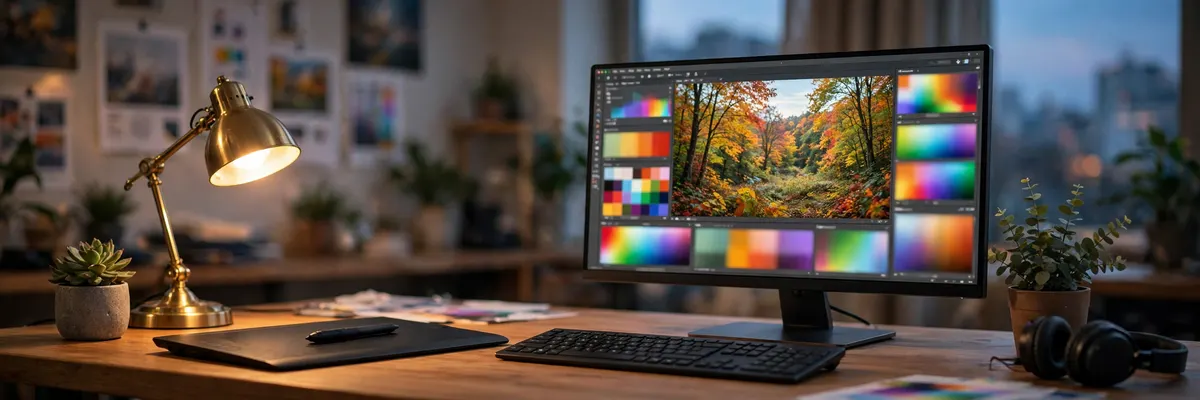
How to buy Adobe Creative Cloud in Pakistan has two honest routes. The easy one is WhatsApp: on Ocean Computer, Adobe Creative Cloud costs Rs 2,500 a month for Shared access or Rs 12,000 a month for a Private account, you pay with JazzCash, Easypaisa or a bank transfer, and your login arrives on WhatsApp, usually within minutes during working hours. The direct route is Adobe's own website, where the full plan is now called Creative Cloud Pro and costs $69.99 a month on an annual plan billed monthly — roughly Rs 19,600 at a rough Rs 280 to the dollar, before your bank adds its own charges — but that route needs a card with international payments switched on, and Pakistani debit cards often fail there. Adobe Creative Cloud is the bundle of 20+ professional apps — Photoshop, Illustrator, Premiere Pro, After Effects, InDesign and Lightroom — that most design studios, video editors and photographers in Pakistan work in every day. It is the right buy if you earn from design, video or photo work, study a creative course, or run a small studio and need the real apps with the cloud features switched on. It is the wrong buy if you only make social media posts and presentations — Canva Education costs Rs 1,500 for a whole year and covers that work better — or if you only ever open one app, in which case a single-app plan may be cheaper. The rest of this guide walks through both ways to buy, step by step, with the real prices, the setup, and the traps to watch for.
What is Adobe Creative Cloud? 🎨
Adobe Creative Cloud is not one program — it is a subscription that unlocks more than 20 of Adobe's professional apps under one login. The ones you will actually open are Photoshop for photo editing and retouching, Illustrator for logos and vector art, Premiere Pro for video editing, After Effects for motion graphics and animation, InDesign for books, magazines and brochures, Lightroom for organising and editing photo shoots, and Acrobat Pro for PDFs. Around them sit smaller tools like Adobe Express for quick social posts, Firefly for AI image and video generation, Fresco for drawing, and Audition for cleaning up audio. Everything installs and updates through one small program, the Creative Cloud desktop app, which you sign into once and then pick the apps you want from the list.
The subscription part matters more than the app list. Your files, fonts, colours and libraries sync through Adobe's cloud, so a project started on a PC can open on a laptop. Adobe Fonts gives you thousands of fonts inside every app without buying them one by one. And the newer AI features — Generative Fill in Photoshop, Text to Vector in Illustrator, Generative Extend in Premiere Pro — only work when you are signed into a genuine Adobe account, because they run on Adobe's servers. That is the single biggest difference between a real subscription and a cracked copy: the cracked copy opens the app, but the cloud features that make the 2026 versions worth using stay switched off.
Adobe Creative Cloud prices — official vs Pakistan 💰
Adobe changed its lineup in 2025, and most old price guides still show the old numbers, so here is the current picture as verified from Adobe's own pricing page in October 2026. The old All Apps plan is gone: it is now called Creative Cloud Pro and costs $69.99 a month on an annual plan billed monthly, up from $59.99 before the change. Under it sits a new Creative Cloud Standard plan at $54.99 a month, which has the same 20+ desktop apps but limited generative AI credits, no premium web and mobile app access, and less storage. A Single App plan — Photoshop alone, or Premiere Pro alone — costs $22.99 a month. The Photography plan, which is Photoshop plus Lightroom with 1TB of storage, costs $19.99 a month. Students and teachers pay $19.99 a month for Pro in the first year, then $39.99 a month after that. Teams pay $99.99 per licence a month for Pro. New subscribers get a 7-day free trial, and Adobe offers the first three months of Pro at $34.99 a month for new subscribers only. In June 2026 Adobe told investors it was deferring the further plan and price changes it had planned for the second half of the year — deferred, not cancelled — so check Adobe's own page before you pay, because this is a price that moves.
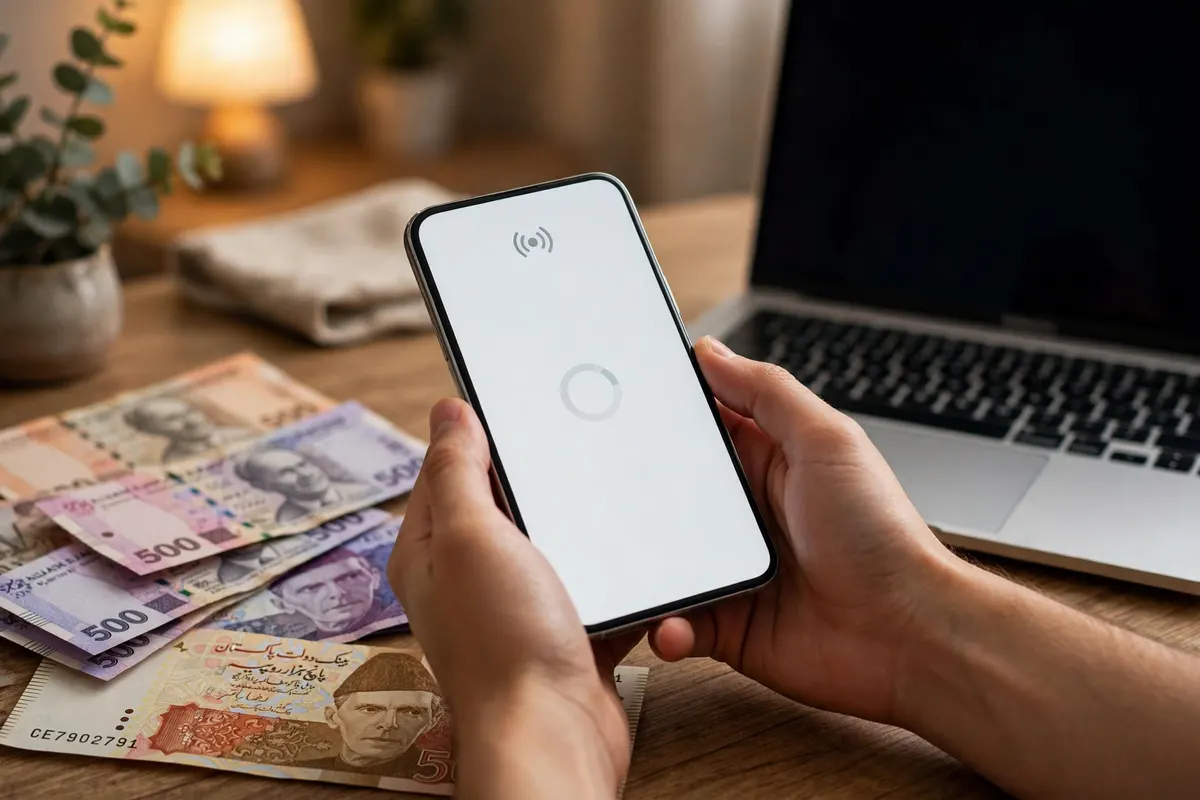
Against that, the Pakistan route is simple and fixed in rupees. On Ocean Computer, Adobe Creative Cloud is Rs 2,500 for one month of Shared access, or Rs 12,000 for one month of Private access, with a 30-day warranty that covers a fix or a replacement if it stops working. Shared means you use an account shared with other customers at the lower price; Private means your own account with your own settings, signed in on two devices. There is no annual contract, no renewal surprise, and no dollar conversion. The honest maths: one month of the official Pro plan costs about Rs 19,600 before bank charges, so the store's Shared plan is about one-eighth of the official monthly price, and the Private plan is about three-fifths. That gap is why most Pakistani freelancers and students buy through a local store instead of Adobe directly — but remember what the gap buys: the official plan is a full annual subscription in your own name, while the store plans are month-to-month access, so match the route to how long you need it.
How to buy Adobe directly from its website 🌐
If you want to know how to buy Adobe Creative Cloud in Pakistan directly from Adobe, here is the whole process. First, open adobe.com and go to the Creative Cloud plans page. Second, pick a plan — Pro for the full set with 4,000 generative credits a month, Standard if you want the cheaper tier and can live with limited AI credits, or Single App if you only need one program. Third, pick annual billed monthly or prepaid, and remember that the monthly price on the page is the annual-plan rate — paying month to month with no contract costs far more. Fourth, create or sign into your Adobe ID with your own email. Fifth, pay: Adobe takes Visa and Mastercard, and PayPal in some regions. Sixth, download the Creative Cloud desktop app, sign in, and install the apps you need. Students pick the student plan instead, and Adobe will ask you to verify your student status through its verification partner before the discount applies.
The step where Pakistanis most often get stuck is payment. Most Pakistani debit cards have international and e-commerce transactions switched off by default, so the payment fails with a generic error and no clear reason. Before you pay, open your bank's app and turn on international transactions for the card, and check that your daily online limit covers the amount. Even when the card works, your bank converts the dollars at its own rate and may add its own charges, so the rupee cost changes a little every month. If the card still fails, try PayPal if your account supports it, or a different bank's card. There is no JazzCash or Easypaisa option on Adobe's checkout. If two cards fail, the WhatsApp route below is the practical answer, not a third card.
How to buy Adobe on WhatsApp from Ocean Computer 💬
This is the route most of our customers use, because it skips the card problem entirely. First, open the Adobe Creative Cloud product page and read the plans: Shared Rs 2,500 for one month, or Private Rs 12,000 for one month with your own account and settings and login on two devices. Second, tap the Order on WhatsApp button — it opens a chat with the plan already written in the message. Third, send the message and tell us which plan you want, and which device you will install it on. Fourth, pay with JazzCash, Easypaisa or a bank transfer; we send you the payment details in the same chat. Fifth, once your payment is confirmed, your login details arrive on WhatsApp, usually within minutes during working hours. Sixth, install the Creative Cloud desktop app, sign in with the details we sent, and install Photoshop, Premiere Pro or whichever apps you need.
Three things to check before you order. First, pick the right plan: Shared is the cheap way in, but it is a shared account, so never change its password, email or settings, and never save private client files in its cloud storage. Private costs more, but it is your own account, so your files and settings stay yours. Second, keep the login details private — never share them with anyone, and never forward them to a stranger claiming to be support. Third, if anything stops working, message us on the same WhatsApp number instead of trying random fixes: the 30-day warranty means we fix it or replace it, and the fastest help comes from the chat where you ordered.

Setting it up on your PC or Mac 💻
Once you have worked out how to buy Adobe Creative Cloud in Pakistan, setup takes about half an hour, most of it waiting for downloads. Install the Creative Cloud desktop app first — it is a small download from Adobe's site — then sign in with the account details you received. The app shows you the full list of programs: install the ones you need first, because Photoshop alone is several gigabytes and installing all 20+ at once will take a long time on a normal Pakistani connection. Open the app after it installs and check that it opens without asking for a licence error. Then sign into the same Adobe ID inside the app so the cloud features, fonts and Firefly credits switch on.
Before you install, check your machine. Adobe's apps need a 64-bit Windows 10 or 11 PC, or a modern Mac, with at least 8GB of RAM — 16GB is what Adobe recommends for Premiere Pro and After Effects, and video editing on 8GB will feel slow. You also need a few gigabytes of free space per app and a stable connection for the downloads. If your laptop is older, install Photoshop and Lightroom first and test them before adding Premiere Pro, because video editing is the heaviest job in the bundle. And keep the Creative Cloud desktop app itself installed: removing it breaks the sign-in that keeps your apps activated.
Adobe Creative Cloud vs Canva — which one fits you? ⚔️
This is the comparison most Pakistani buyers actually need, because the two products solve different problems at very different prices. On Ocean Computer, Adobe Creative Cloud starts at Rs 2,500 a month for Shared access, while Canva Education costs Rs 1,500 for a whole year. Canva is the better buy if your work is social media posts, presentations, posters, CVs and simple designs: it is faster to learn, runs in a browser, and its templates do most of the layout for you. Adobe is the better buy if your work is professional photo retouching, logo design, video editing, motion graphics or print layouts that a client will pay for — Canva cannot do what Photoshop, Illustrator or Premiere Pro do, and no template replaces them.
The honest middle ground is to own both: Canva for the quick daily posts, Adobe for the real client work. Many freelancers in Pakistan do exactly that, because a year of Canva costs less than one month of Adobe Shared. If you only ever open Photoshop and nothing else, the official Single App plan at $22.99 a month is also worth comparing — but at roughly Rs 6,400 a month before bank charges, it still costs more than the store's Shared plan for the whole bundle, so only take it if you need the subscription in your own name. Our best Adobe reseller in Pakistan guide compares the local sellers, and our Canva Education vs Canva Pro guide explains the Canva side in detail.
Honest limits — read before you pay ⚠️
Six honest limits before you spend a rupee. First, the Shared plan is a shared account. Other people use the same login, so never change the password, email or settings, never save private client files to its cloud storage, and expect that someone else's work may be visible inside it. If that bothers you, pay for Private. Second, the annual plan trap: Adobe's annual plans billed monthly carry an early-termination fee if you cancel before the year ends — usually half of what is left on the contract — so read the cancellation terms before you sign up. Adobe's cancellation flow has been criticised for exactly this: in March 2026 Adobe agreed to a reported $150 million US settlement over hidden early-termination fees and a deliberately difficult cancellation process. Third, the price moves: Adobe raised the full plan from $59.99 to $69.99 in 2025 and has deferred further changes, not cancelled them, so any dollar figure in a guide is a snapshot, not a promise.
Fourth, cracked Adobe is a bad deal in 2026. The cloud AI features — Generative Fill, Text to Vector, Generative Extend — need a signed-in genuine Adobe account, so a cracked copy leaves them switched off, and cracked installers are a common way to get malware on a work machine. Fifth, there is no lifetime Adobe plan: anyone selling lifetime Creative Cloud for a few thousand rupees is selling a shared or stolen account that will die without warning. Sixth, the apps are heavy: Photoshop, Premiere Pro and After Effects need a decent machine, and on an old laptop with 4GB of RAM they will crawl no matter which plan you buy. Check your machine before you pay, not after.
Adobe on our other stores 🔗
We sell the same Adobe Creative Cloud plan on our other stores, so pick whichever currency suits you. On Affordable Subscriptions in Europe, Adobe Creative Cloud is $8.99 for one month of Shared access or $42.99 for Private, with the same 20+ apps, the same login on two devices for Private, and the same 30-day warranty. The account works the same way wherever you buy it — the only difference is the price and the currency you pay in.
How to order from Ocean Computer 🛒
To sum up, how to buy Adobe Creative Cloud in Pakistan without a card headache is simple: order it on WhatsApp. Open the Adobe Creative Cloud product page, pick Shared at Rs 2,500 or Private at Rs 12,000, tap Order on WhatsApp, pay with JazzCash, Easypaisa or a bank transfer, and your login arrives in the same chat, usually within minutes. Install the Creative Cloud desktop app, sign in, and install the apps you need. If you would rather pay Adobe directly, enable international transactions on your card first, then buy Creative Cloud Pro on adobe.com — $69.99 a month on the annual plan billed monthly, $54.99 for Standard, $22.99 for a single app, with a 7-day free trial for new subscribers. Either way, you get the same 20+ apps: Photoshop, Illustrator, Premiere Pro, After Effects, InDesign and Lightroom, with the cloud features switched on. Questions before you order? Message us on WhatsApp at +92 335 6789650 and tell us your plan name — we will sort it out with you.
Adobe Creative Cloud prices at a glance
| Way to buy | What you pay | What you get | Best for |
|---|---|---|---|
| Ocean Computer — Shared (WhatsApp) | Rs 2,500 / month | 20+ apps, shared account | Cheapest way in, one month |
| Ocean Computer — Private (WhatsApp) | Rs 12,000 / month | 20+ apps, own account, 2 devices | Your own account and settings |
| Adobe Creative Cloud Pro — official | $69.99 / month (annual, billed monthly) | 20+ apps, 4,000 AI credits, 100GB | Full plan in your own name |
| Adobe Creative Cloud Standard — official | $54.99 / month (annual, billed monthly) | 20+ apps, limited AI credits | Cheaper official tier |
| Adobe Single App — official | $22.99 / month | One app of your choice | You only ever open one app |
| Adobe Photography — official | $19.99 / month | Photoshop + Lightroom, 1TB | Photographers only |
| Adobe Student & Teacher Pro — official | $19.99 / month first year, then $39.99 | Same as Pro | Verified students and teachers |
Adobe Creative Cloud vs Canva Education on Ocean Computer
| Adobe Creative Cloud | Canva Education | |
|---|---|---|
| Price | Rs 2,500 / month (Shared) | Rs 1,500 / year |
| Best for | Pro photo, video, print and logo work | Social posts, presentations, posters |
| Learning curve | Steep — real professional tools | Easy — templates do the layout |
| Runs on | Windows and Mac apps | Browser and mobile app |
| AI features | Firefly, Generative Fill, 4,000 credits (Pro) | Magic Studio tools, background remover |
| Pick it if | Clients pay you for creative work | You need quick designs every day |
Frequently asked questions
How much does Adobe Creative Cloud cost in Pakistan?
Rs 2,500 for one month of Shared access or Rs 12,000 for one month of Private access on Ocean Computer, paid in rupees on WhatsApp. Adobe's own price is $69.99 a month for Creative Cloud Pro on an annual plan billed monthly.
Can I pay for Adobe Creative Cloud with JazzCash or Easypaisa?
Yes, through Ocean Computer: order on WhatsApp and pay Rs 2,500 or Rs 12,000 with JazzCash, Easypaisa or a bank transfer. Adobe's own website does not take JazzCash or Easypaisa — it needs an international card or PayPal.
What is the difference between Shared and Private Adobe plans?
Shared is a lower-price account shared with other customers — you must not change its password, email or settings. Private is your own account with your own settings, signed in on two devices, so your files and settings stay yours.
Which apps are included in Adobe Creative Cloud?
More than 20 apps, including Photoshop, Illustrator, Premiere Pro, After Effects, InDesign, Lightroom, Acrobat Pro, Adobe Express, Firefly, Fresco and Audition, with cloud storage and Adobe Fonts included.
Is there a free trial of Adobe Creative Cloud?
Yes. Adobe offers a 7-day free trial for new subscribers on its own website, and new subscribers can also get the first three months of Pro at $34.99 a month. The trial needs a card, and you must cancel before it ends to avoid being charged.
Does Adobe Creative Cloud work on Windows and Mac?
Yes, it works on both. You need a 64-bit Windows 10 or 11 PC or a modern Mac with at least 8GB of RAM — 16GB is recommended for Premiere Pro and After Effects — plus free space for each app you install.
How many devices can I use Adobe Creative Cloud on?
The Private plan on Ocean Computer covers login on two devices. Adobe's own plans also allow activation on two devices under one account, so you can run it on a PC and a laptop.
Can I cancel Adobe's annual plan anytime?
You can cancel, but Adobe's annual plan billed monthly carries an early-termination fee if you cancel before the year ends — usually half of what is left on the contract. Monthly store plans have no contract, so you simply do not renew.
Is a cracked Adobe Creative Cloud safe to use?
No. The cloud AI features like Generative Fill need a signed-in genuine Adobe account, so they stay switched off on a cracked copy, and cracked installers are a common source of malware. There is also no lifetime Adobe plan — lifetime sellers are selling shared or stolen accounts.
Adobe Creative Cloud or Canva — which should I buy?
Buy Canva Education at Rs 1,500 a year if your work is social posts, presentations and posters. Buy Adobe Creative Cloud if you do professional photo, video, print or logo work that clients pay for — Canva cannot replace Photoshop, Illustrator or Premiere Pro.
What if my Adobe account stops working?
Message Ocean Computer on WhatsApp at +92 335 6789650 with your plan name and what went wrong. Every plan has a 30-day warranty, so we fix it or replace it.
How do I install Adobe Creative Cloud after ordering?
Install the Creative Cloud desktop app from Adobe's site, sign in with the login details we send you on WhatsApp, then pick the apps you need — Photoshop, Premiere Pro or the rest — and install them from inside the app.